6 Best IDE for Java of All Time

Hands down, as of now, Java is the best programming language in the world. With more than 9 million Java developers around the globe, it is clearly a developer’s favorite!

Being open-source and totally reliable, Java has a robust ecosystem of IDEs. As being recognized as the most popular programming language for developing enterprise applications, JAVA continues to grow strong, even in the beginning of this new decade.

For developers, it is necessary to work with a programming editor or an Integrated Development Environment (IDE) that can assist them with coding in Java or using its framework and libraries.

There are a large variety of different JAVA IDE’s available in the market as of now, which we will discuss shortly. But before we get to that, let us see what exactly is an IDE and the cause for its popular use.

What is a Java IDE?

To implement Java, the developers need to work with certain environments where the user can write complex codes and develop full-scale applications. Developer often face issues while coding an application. With missing classes & files, it gets difficult to find where the issue lies, hence it gets difficult to debug.

This is where the JAVA IDE comes to play.

With IDE, the proper life cycle of the project can be monitored and maintained. The IDE tool has in-built features that include the text editors, debuggers, compilers and other tools that help in automation, testing and analyzing of an application’s development flow. The JAVA IDE provides developers with predictive syntax that helps them write better code.

Features of IDE

Any Java IDE has the following core features:

  • Compile and automatic build features.
  • A good debugging tool to test the developed application completely.
  • Strong resource management to help identify missing sources, headers and libraries.

IDE is very helpful for development as it simplifies the development process. With so many different JAVA IDE’s to choose from, let us see the best options for your business development needs.

Top 6 JAVA IDE’s

1. Eclipse
Eclipse

Eclipse is an open-source, fully-featured, powerful JAVA IDE that is widely used for Java Application Development. With extensive plug-in system, developers are able to customize solutions and make the application more robust. Based on the core foundation of Java, it is compatible with many languages like C++, Groovy, Python, Perl and C#.

Here are some notable features of Eclipse:

  • Cross-platform- runs on Linux, Mac OS and Windows.
  • Extensive documentation for help.
  • Allows easy integration with Apache Maven serve & Git version control.
  • Eclipse supports debugging both locally and remotely.
  • It has a good workspace environment, which allows developers to identify projects, folder and files easily.

Using Eclipse, developers can scale an application as they like for different platforms. However initially setup becomes difficult at times without the proper guidelines. Adding to this issue, it also requires a lot of validation to JSP and HTML files which can get troublesome for new developers to solve.

2. IntelliJ IDEA
IntelliJ IDEA

Intellij IDEA is a great IDE for java development. Developed by JetBrains, it is extensively used by developers for commercial development projects.

Some key features of IntelliJ IDEA are:

  • It strongly supports integration with the application servers.
  • Powerful compiler- capable of detecting code issues.
  • Many built-in tools: Git, Version Control, De-compiler, SQL and much more.
  • Great interface options.
  • Extensive customization features to change the project structure as per the user’s need.
  • Ability to analyze the data flow and gives the most accurate code to change at runtime.
  • It is best suited for Android development.
  • Autosaves the work.

Even IntelliJ IDEA is difficult to work with initially due to the tool documentation it needs. But crashes associated with large applications make it economically infeasible, considering the high price for enterprise edition- makes developers switch to a different IDE.

3. NetBeans
NetBeans

NetBeans is truly an outstanding and prominent web development IDE. It is easy to use and gives the user a chance to create great web applications in a quick time. It is a free JavaScript IDE and has an incredible HTML5 IDE integrated for standard use.

Here are some core features of NetBeans:

  • It is easy to learn and use.
  • Highly customizable to fit the user’s work approach.
  • Developers can deploy code from their environment.
  • An active community allows for finding quick solutions to problems.

However, due to its large size, the plug-ins consume a lot of system resources, due to which, it gets slow in processing the code at times. But overall it is one of the best IDEs for Java development.

4. BlueJ

BlueJ

BlueJ is a free Java IDE that is recommended for beginners. It has a simple interface than most professional IDE’s and offers standard development tools.

Some good features of BlueJ are:

  • Small, simple and portable interface.
  • It is an online Java IDE. You can use this tool without installing it.
  • Cross-platform compatibility- Windows, Mac OS X, and Ubuntu.
  • Run java objects while the program running in the background.
  • Supports syntax coloring

This is a great platform to build powerful Java applications.

5. JDeveloper

JDeveloper

Written in Java, Oracle’s JDeveloper is a free integrated development environment that simplifies the development of Java-based apps by addressing every step of the app lifecycle. It offers end-to-end development for Oracle’s platform and apps.

Here are some interesting feature JDeveloper has to offer:

  • Covers the full development lifecycle from design through coding, debugging, optimization and deployment of the app.
  • It is cost effective.
  • Drag and Drop functionality makes apps easier to design.
  • It has the latest HTML 5 editor for the UI design process.
  • Supports JAVA SE, JAVA EE and other dB environments to build a scalable app.
  • It has appealing visuals and declarative editors, making it easier for the developers to understand what’s going on.
  • Good customer support worldwide.

Although the learning curve of JDeveloper is very steep, making it difficult to work with initially. It requires constant vigilance of experienced developers. Also, it consumes large chunks of RAM when implementing the business processes, thus making it very slow.

6. DrJava

DrJava

DrJava is a free light-weight Java IDE where users can easily write and run Java programs. It uses Sun Microsystems’ Swing toolkit and therefore has a consistent appearance on different platforms.

Here are some key features of DrJava:

  • Being lightweight, makes it faster.
  • Designed for students, no initial setup is required.
  • DrJava has a unique feature for the read-eval-print loop (REPL) that is used for evaluating Java expressions and statements interactively.
  • Good for troubleshooting and testing.

DrJava is an ideal java development platform for developers who want to work on a light framework, have faster execution and want to create an interactive interface for the app. It is not an ideal framework for developers who want to build large applications.

Make the right choice!

Although, Java IDE’s do have a complex learning curve, it is always recommended to have experienced Java developers working on the project so they can efficiently help create a robust application and meet deadlines. And that’s the reason why many businesses choose to go with development experience in such crucial times. Hiring professionals from an established development company guarantees an overall great application that your users would love to engage with.

That’s where Communication Crafts comes to play!

Being in the development industry for more than 15+ years, we are recognized as an “innovative development company that simply make it work!”

And so we do! With the best Java developers, cross-platform developers, full-stack developers, iOS developers, and Android developers as part of our Advantage team, over these years we have provided excellent Java solutions for all our clients around the world. Our highly dedicated web and mobile app development team work round the clock and gather & understand your business requirements thoroughly, which helps them create just the website or the application you would want.

We always strive for utmost customer satisfaction and nothing else! Because if our clients are happy, so are we!

Take your Java development to the next level with

Communication Crafts!
 

7 Best Fintech Apps changing the face of Online Transactions

Fintech apps are making a splash this year. With online financial transactions gaining preference due to its ease of operations, Fintech is the future of banking.

82% of banking organizations are planning to increase FinTech partnerships. This fact isn’t even surprising. The blockchain technology FinTech apps uses provides excellent cost-savings and security measures. And this is the reason the FinTech industry will see drastic investment in the coming years.

What is Fintech?

In a nutshell, Fintech is a broad term that represents the fusion of the financial and the technological space to create a mobile banking app that will provide customers with enhanced and seamless financial operations.

With so many types of Fintech apps out there. Here are some of the most popular types:

Types of Fintech apps

A Fintech app helps omit the middleman who charges high ‘transaction fees’ for carrying out financial services. Thus the user can save more money, along with ease of financial operations.

Here are different types of a Fintech app:

  • Mobile banking apps– from money transfers, bill payments, invoices, expense trackers.
  • Finance apps– for stock trading, loans, savings, and financial advice that allow users to generate profits in the stock market.
  • Payment gateway integration apps– Blockchain & Bitcoin.

With transactions edging more toward digital platforms, there is no doubt that the number of Fintech apps is going to skyrocket in the coming years.

In 2023, here are the best Fintech apps in the market.

7 successful Fintech apps:

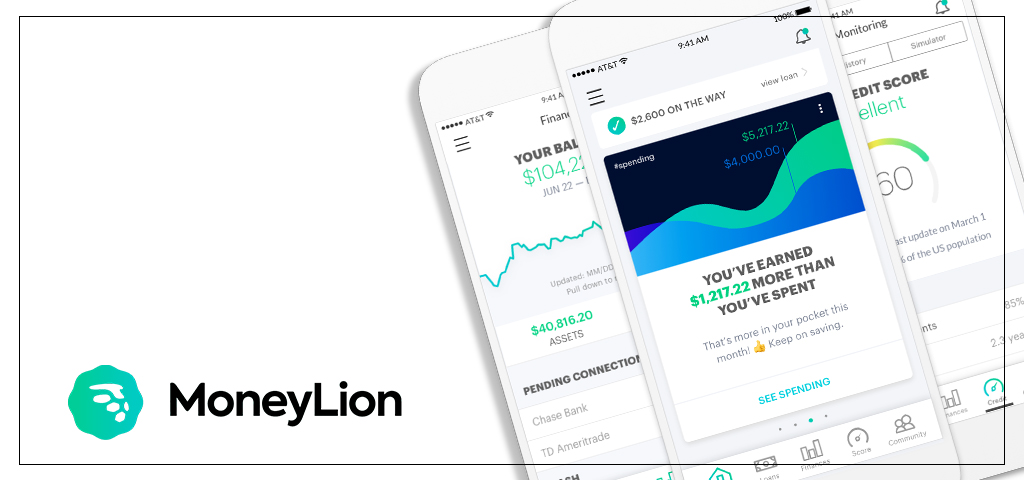
1. MoneyLion

MoneyLion

With a current $1billion dollar evaluation, MoneyLion is a U.S. based mobile banking app that provides its users with financial advice and quick access to loans. Not bad at all for a relatively new start-up.

This Fintech app makes money from app subscriptions that cost $19.99 per month to each user.

Best features of MoneyLion:

  • 12% cashback rewards on transactions
  • Live tracking of the credit score
  • Real-time notifications of transactions
  • Instant transfer between banks
  • Save, invest and borrow money from one place

Although there are limited investment options, this is one the best Fintech apps in the market right now.

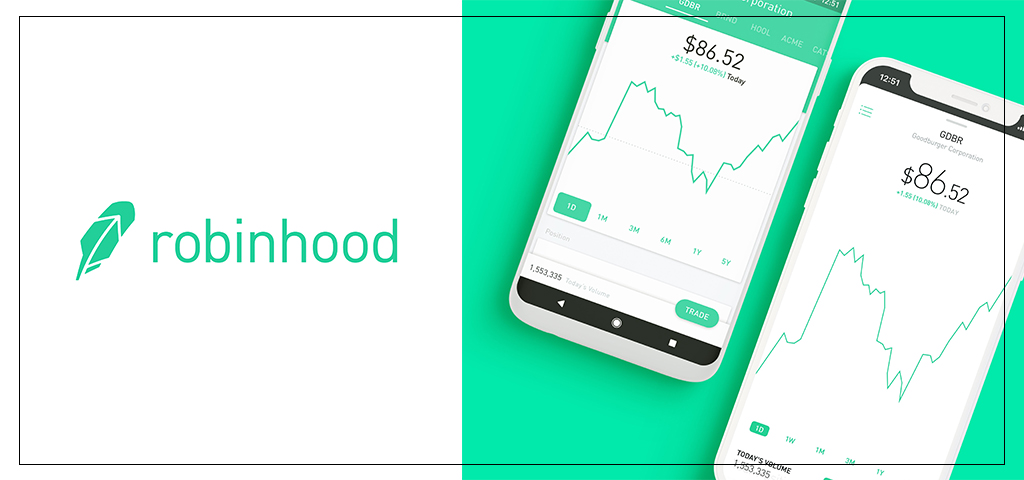
2. Robinhood

Robinhood

Robinhood is another great start-up based in the U.S. With a current valuation of $7.6 billion dollars, this Fintech app allows users to make smart investment choices.

Best features of Robinhood:

  • Cash management tools
  • Real-time market data analysis
  • Free stock and ETF trading
  • Instant opening of account on the app
  • Cutting-edge security measures to protect user data
  • Support for mobile and web platforms
  • Integration with more than 3500 banks including Chase, Wells Fargo and Bank of America.

Even though this app has lack of customer support and limited product range, Robinhood is a great Fintech app that provides great value to their customers regarding financial decisions.

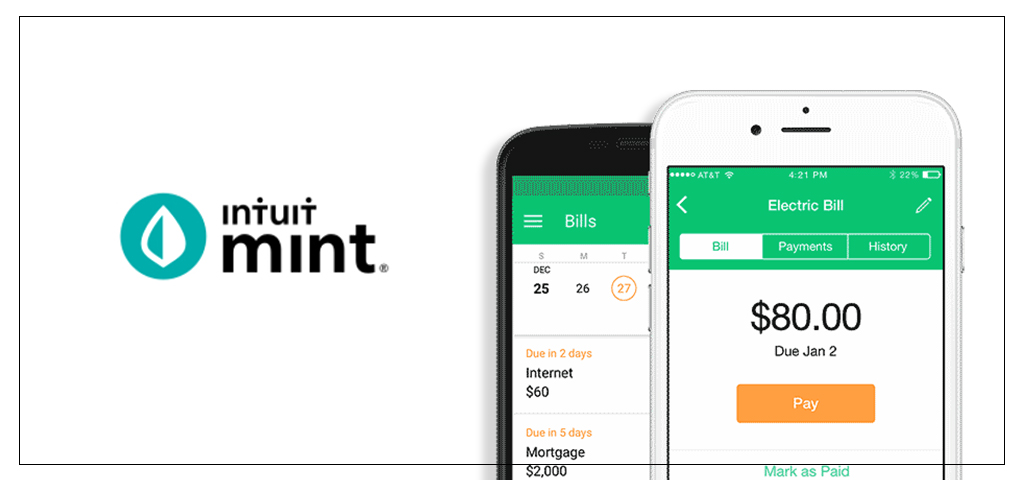
3. Mint

Mint

If you were to create a list of start-ups that had so called “overnight success”, Mint would have been near the top of the list. With more than 24+ million user base, this Fintech app has beautifully redefined money management. From easily tracking monthly expenses, to keeping track of balances and helping set financial goals- this Fintech app does it all.

Best features of Mint:

  • Users can customize income and spending categories
  • Provides accurate net worth of assets
  • Free credit score analysis
  • Important notification updates about recurring bills to pay
  • 256-bit data encryption and 128-bit SSL data exchange encryption, makes Mint is a secure platform

This Fintech app doesn’t support multiple currencies and the user cannot set several financial targets with one account. Even though Mint falls short in some areas, it is one of the best payment services available in the U.S. market.

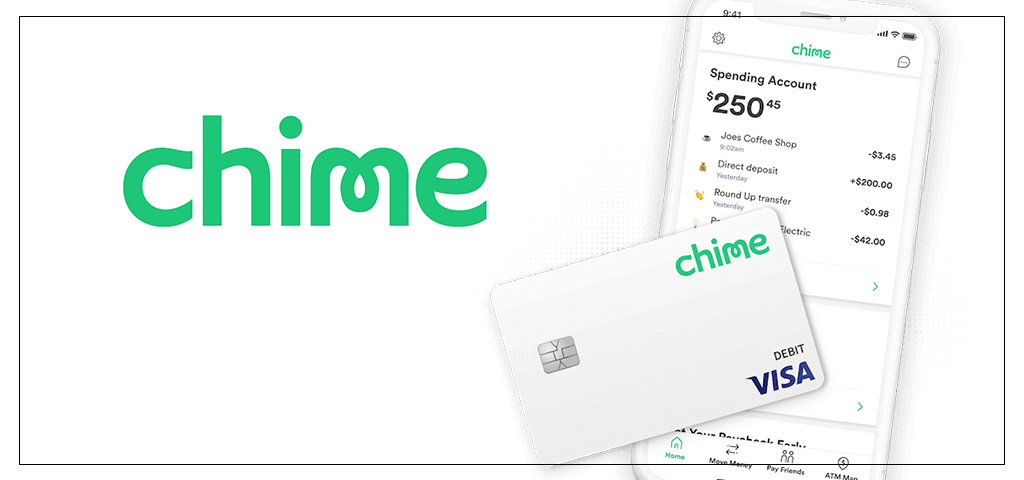
4. Chime

Chime

Another great example of a Fintech application, Chime– makes life easier for the users by helping manage their finances much better.

Best features of Chime:

  • No hidden transaction or monthly fees
  • Supports other mobile payment apps
  • Friendly customer support
  • Only charges ATM fees ( access to over 38,000 ATM’s across the United States)
  • Seamlessly helps move money across different banks
  • Direct deposit of paychecks to Chime gets the money 2 days earlier for the user
  • Real-time transaction notifications
  • No-over draft fees (Something not a lot of apps offer)

Although Chime limits the withdrawal or transfer of money from the savings account, the overall user experience it provides is great. Making it one the fastest growing Fintech application.

5. Nubank

Nubank

Nubank, is a Brazil based Fintech app. With a market value of more than $10 billion dollars & 12 million users, Nubank is one of the largest financial companies in the world.

This Fintech application provides access to invoices and tracks the spending of the user by different categories.

Best features of Nubank:

  • Rewards program for customers
  • Simple & intuitive UI
  • Credits cards are accepted worldwide with no transaction fees
  • Informative blogs about finances

Nubank does charge a fixed fee for each cash withdrawal. However, the main cause of inconvenience for the users is that the app automatically logs the user out when they switch between apps. But overall, Nubank is a great Fintech app that provides real value to the users.

6. N26

N26

With more than 5 million users across U.S. and Europe and over 65,000 5-star reviews, this Fintech app is paving way for modern day banking.

Best features of N26:

  • Fast and secure cashless payments
  • Real-time updates about the account activities
  • Exclusive discounts and cashbacks from specific brands people love
  • Instant account opening
  • No monthly or maintenance charges

N26 doesn’t quite hit the mark when it comes to customer support for the app. Nevertheless, it provides great user experience and that’s why people love using it!

7. Coinbase

Coinbase

Coinbase app is the largest crypto-currency exchange in the United States. With more than 25 million users across 32 countries worldwide, this Fintech app provides highly secure transactions.

Best features of Coinbase:

  • Real time investments
  • It ensures Bitcoin deposits
  • It provides users with online and mobile wallet services
  • Investing in currencies by time- daily, weekly, or monthly
  • Protection against unauthorized frauds using 2FA security measures

The deposits and withdrawals are delayed by three days. But due to the excellent user experience and the unique financial services it provides, people just keep coming back to this app!

Something to keep in mind during the Fintech app development. User experience makes up 50% of the app development process. If you can get the users to keep returning to use the app, your Fintech app is on the road, where there is nothing but success in sight!

Many start-ups and other financial companies realizing this hire the best Fintech developers who also know how to create an intuitive yet engaging UX/UI design for the Fintech app.

If there was ever the right time to build a Fintech app, it is now. Looking for a Fintech app developer? Well, you found the best!

Communication Crafts understand your needs for building a robust and scalable Fintech application. Our team of expert iOS developer, Android developers, Cross-platform developers, UX/UI designers, and QA engineers cater to your app development needs specifically. With the latest Mobile App monitoring systems, our app developers not only gather in-depth analytics of your mobile app’s performance after it is launched but also help roll out timely updates to make your app’s performance even better. With the best mobile app developers working in our development team, every line of code we write for your mobile app is quality assured. Developing custom-built Fintech mobile apps that provide great customer experience is our forte!

Frequently Asked Questions (FAQs)

1. What is the future of Fintech?

The future of Fintech directly depends upon the blockchain technology- due to the transparency and trust it guarantees for carrying out secure online financial transactions. It has significantly decreased the time needed for making transactions and improving the cash flow. With blockchain tech set to hit $20billion by 2024, Future of Fintech looks bright. With more than 80% of the financial organization wanting to collaborate with Fintech companies within the next 3-5 years, this is the tip of the iceberg, for what the future holds for Fintech.

2. What is a ‘Fintech’ company and what does it do?

A collaboration of a financial company that uses technology to make financial services more efficient on digital platforms is known as a Fintech company.

Such Fintech companies work to incorporate cutting-edge technology to improve financial transactions on a ‘Fintech app’. They work on making the online functionality of various financial transactions even better. With mobile transactions projected to make 88% of all banking transactions by 2022, Fintech companies work to provide seamless solutions for the app that will enhance the customer’s experience.

3. Cost to Build a Fintech App?

The time taken to develop a Fintech app depends on the complexity of the features. The cost of fintech app development depends on various aspects such as the platform choice (iOS or Android), features, functionality, integrations, the hourly rate of the developers, and the engagement model developers want to consider.

The more the time, proportional is the cost of the app. A Fintech app with the basic functionalities ranges somewhere around $20000 to $56000 U.S. dollars. While a Fintech app with advanced features may cost you more than $100000 U.S. dollars.

4. Top 5 fintech and banking apps?

Finance has always been a data-rich and innovative sector. No wonder that it inspires the creation of the most advanced solutions! Some of the best Fintech apps in the world as of now are:
1. Mint
2. Revoult
3. Trigger
4. Coinbase
5. Acorns

Hire us and get your Fintech app to work!


8 Fintech App Features That has Incredible ROIs

With the introduction of latest technologies, development processes have been simplified. From automated workflows to mobile & web apps that enhance customer experience, technology has changed the way we look at innovation. One such innovative technology in the modern time is Fintech.

What is Fintech?

Fintech aka Financial technology, is used to describe new technology advancement associated with improving & automating the delivery and use of financial services for business owners and consumers. Basically Fintech means, combination of finance & technology.

Although Fintech is relatively new, startups are incorporating this cutting-edge technology in their operations, & even multi-million dollar finance companies and banks have taken a swing at Fintech.

research study found that, between 2015 and 2019, consumer adoption of Fintech companies and products have soared. As of last year, 75% of consumers worldwide have found some money transfer and/or payment service options through a Fintech app.

Global companies such as Apple, Paypal, Paytm, KPMG and many more are Fintech organizations. More than $112 billion U.S. dollars has been invested in Fintech as of now, and it is only going to increase in the coming years.

What is the main advantage of Fintech?

Fintech is increasing in popularity and you can guess why. A Fintech app allows the consumers to leverage the benefits of drastic reduction in transaction costs due to elimination of the middleman who charge high fees to facilitate the transactions.

Fintech apps have made dealing with financial services much easier than the traditional banking could ever do. With more than 45,000 start-ups using Fintech, it is the perfect time to dip your foot in Fintech app development too!

To stand out amongst the competition, here are some Fintech app features to consider that will provide great value to your customers.

8 undeniable great features of Fintech app development

1. Data Analytics

Data Analytics

Financial data allows people to make the right decision. Data analysis is an integral part of a Fintech app. The app should gather and analyze user data and create a report that gives the user overview of their finances. A Fintech app should have the following data gathering features:

  • Report management: Users can check summaries of their financial activates in report management.
  • Generate transaction report: Users can keep track of their spending in different categories.

Additionally, by visually representing the data, users are more likely to understand the statistics better. Thus, enhancing their experience. That’s something to keep in mind during development.

2. API Integration

A Fintech app works effectively when it provides diversified solutions to the different financial aspects a user usually deals with.

Integrating APIs into your Fintech app will help the users carry out a variety of tasks. But it is also beneficial if you want to scale your app in the future, as you can use already incorporated API’s to build new functionalities without re-writing a lot of code.

For example: by integrating the Geolocation API, you can allow users to find ATMs & nearest Bank branch in their vicinity.

3. Automation

Automation

You can fully automate your Fintech app to carry out manual tasks. By implementing this, customers can quickly take apt decisions for their money; invest it, withdraw it or transfer it to another account.

Using AI, you can add functionalities that will notify the finance professionals about the user’s requirements. This saves ample time as the staff don’t need to continuously keep track of the customer’s needs.

4. Artificial Intelligence

Living in this digital age, data gathering is crucial to take development to the next level. Many companies have started incorporating AI into their Fintech application. AI combined with Machine learning provides intelligent insights about the users (while they use the app), which in turn helps developers roll out more effective updates that would provide customers with a better overall experience than before.

Using complex algorithms, AI can understand the behavioral spending of the users and deliver intelligent feedback to the Fintech companies that help them improve the efficiency of digital operations.

It is estimated that AI will save the insurance companies more than $1.3 billion U.S. dollars by 2023.

5. Customization

Customization

AI provides exceptional customization capabilities. Fintech applications integrated with AI can offer smart suggestions to their users by analyzing their data (spending behaviour). It allows Fintech companies to be engaged with their customers. Implementing AI technology can help your customers take the right decision regarding their investment services. This would instill trust in your customers and increase your credibility.

6. Cost reduction

Fintech companies offer their customers the advantage of lower fees than traditional banking. Such large companies don’t have to invest in advertisements on the app. Rather they can invest their fund on developing the app to meet all user requirements. Users don’t like seeing so many ads on the app and Fintech app development makes this problem disappear.

But also for the developers, building a Fintech app using the MVP approach is easy. Not only it is cost efficient to build, it allows them to focus on a single paint point and launch a prototype & test the results early on.

7. Third-party authentication

Third-party authentication

When it comes to protection of personal data, users want utmost security of their data. Implementing strict security protocols that help protect against any online data breaches is an important aspect to keep in mind while developing the Fintech app.

One of the easiest yet effective way to place reliable security measures in place is to implement two-factor authentication. OTP authentication is one such security measure that verifies the user through an SMS code sent on the users mobile number.

Apart from that, there are a few third-party apps such as LastPass Authenticator, Microsoft Authenticator, Google Authenticator, and Authy. These third-party authentication apps use QR code or tokens to authorize the users.

8. Blockchain

Blockchain- an innovative open distributed ledger technology records transactions of two parties securely and efficiently. Blockchain administers, records, and authenticates every user transaction.

Using the Blockchain technology, Fintech companies can increase the number of P2P payments and reduce the transaction fee for international and local payments. Implementing Blockchain in the Fintech application can provide seamless operations of carrying out transactions.

That sums up some great features a Fintech app should have. But this is just the tip of the iceberg for what the future holds for this technology.

With transaction value of digital payments expected to reach $4.8 trillion this year, now is the right time to build a Fintech app. Hiring an established app development company whose expertise lies in building Fintech apps can drive your business app to success.

Thinking of Fintech App Development?

As a leading Fintech app development company, Communication Crafts understand your needs for building a robust and scalable Fintech application. Our team of expert iOS developers, Android developers, Cross-platform developers, UX/UI designers, and QA engineers cater to your app development needs specifically. With the latest Mobile App monitoring systems, our app developers not only gather in-depth analytics of your mobile app’s performance after it is launched but also roll out timely updates to make your app’s performance even better. With the best mobile app developers working in our development team, every line of code we write for your mobile app is quality assured. Developing custom-built Fintech mobile apps that provide great customer experience is our forte!

We build apps people resonate with.

Get your Fintech app development sorted!

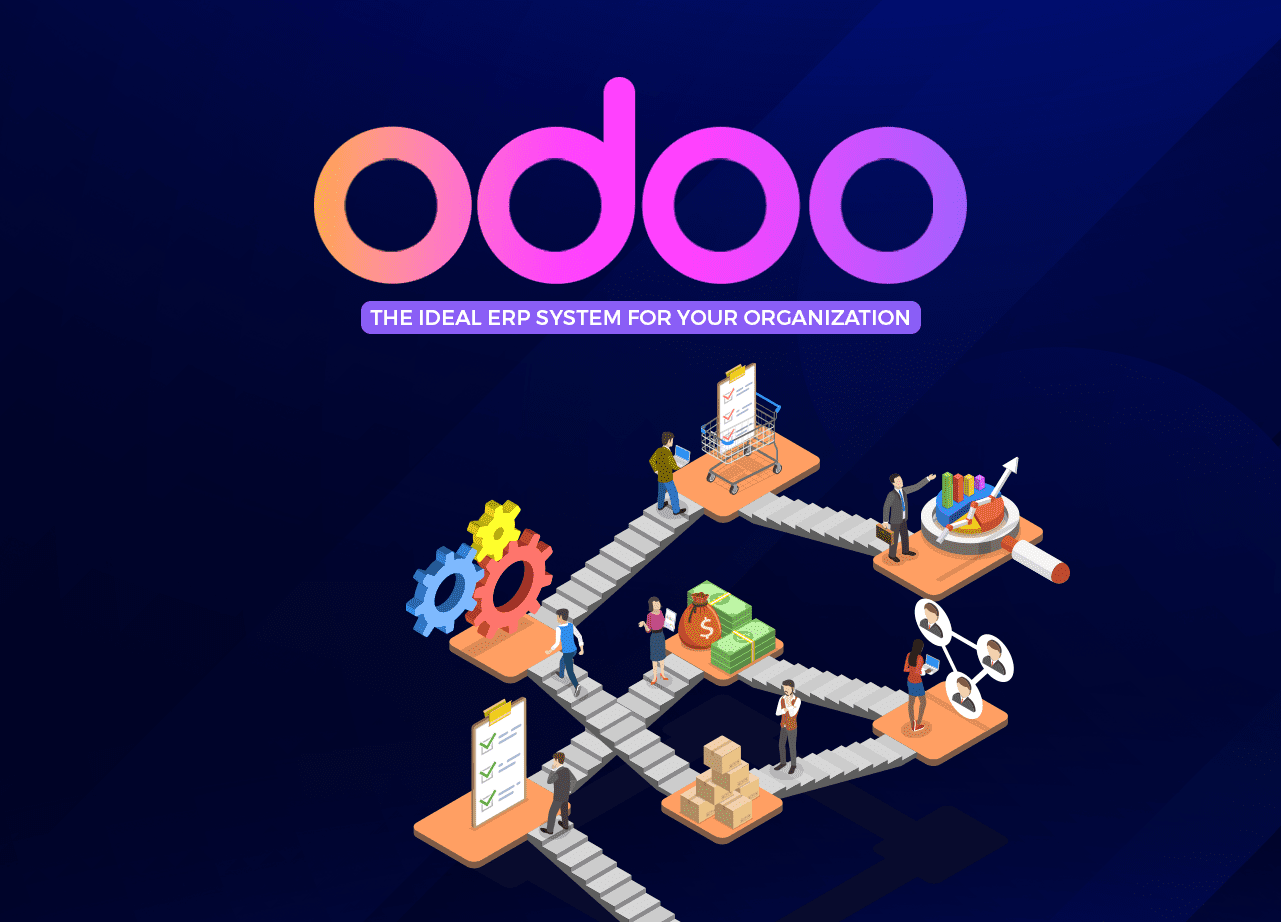
Odoo- the ideal ERP System for your Organization

Odoo– one of the best software management as of today, it can handle complex business operations easily. With more than 4 million customers worldwide, Odoo offers plenty of advantages for businesses of all size.

So what is Odoo?

Odoo is a fully integrated and customizable business management suite. Basically, one business tool for all your business operations.
It is a cloud-based software system designed by OpenERP for building scalable websites & managing business activities. Released initially in 2005, the newest Odoo 14.0 version was released in October 2020. Odoo 14 brings with great potential for gathering analytics and better business insights. It is efficiently going to improve the Odoo platform.

It is compatibility with many operating systems: Linux, OS X, Windows, iOS and Android.

What makes Odoo unique is its ability to integrate many features.

Some key features Odoo integrates for any business ERP system are:

  • CRM
  • Sales
  • Project management
  • Accounting
  • HR
  • Marketing activities
  • Customer support tools

Odoo CRM features are perfect for businesses of varying sizes in all sectors.

As businesses grow, there is a need for a system in place that can manage and monitor all aspects of the company in one centralized place, so the operations can be streamlined. That’s where an Enterprise Resource Planning (ERP) system comes to play- the Odoo ERP.

Why specifically are we emphasizing Odoo ERP?

Because Odoo is the only ERP software in the world to have such a large range of customers! And the main reason for that is the flexibility it offers. With a full suite of business apps that fits the needs of large organizations, Odoo platform is becoming the go-to platform for companies to manage their operations.

The Value of Odoo in the market

Being an open-source ecosystem, it is actively maintained by a large base of Odoo developers’ community and widely provides support for their customers.
More so, Odoo customization is highly possible. The Odoo developers can adhere to all the requirements of a company- from creating a custom modifiable database to making ERP mobile friendly. Odoo’s customization possibility helps make the ERP even more user-friendly and hence enhances the user’s experience.

Companies evolve, they have newer business processes to implement. And Odoo makes adding new functionalities to the ERP real easy.

“This system is revolutionary. The advantages Odoo has are comparable to none other. It covers all sides of the workflow for any company: manufacturing, accounting, taxes, HR and so much more. It’s certainly making its mark on the market worldwide. BSince the last couple of years, we have seen the need for Odoo developers increase significantly.”

But that’s just what’s at the surface Odoo has to offer. There’s more to what Odoo has to offer. Let us see what they are.

6 Amazing Odoo ERP features

Amazing Odoo ERP features

1. An open-source solution

As Odoo is an open-source platform, which means that any Odoo developer in-house, or if you decide to outsource, can make changes with it. Any Odoo CRM module can be created to meet your business needs. And further down the line, if you feel like making changes to suit your needs better, you sure can!

A company can find everything it needs in terms of Software with Odoo. Matter of fact, the company can even choose from the large database from the Odoo apps store.

And if this not enough, hiring Odoo developers from a reputed Web development company who simply can adhere to all your requirements should do the trick. And since they even provide Odoo customization services, one thing is for sure, great solutions are guaranteed for your organization.

2. A wide range of Odoo apps and Odoo modules

Sure there might be a possibility that you don’t need to start Odoo implementation from scratch. And for that, you can simply select from an ocean of Odoo apps available. With more than 15,000 applications created from core Odoo modules, you can simply integrate apps as you like in your ERP.

This simplifies Odoo’s development. No more investing a huge deal of time explaining requirements to the developers. It’s simple, with Odoo API integration, integrate any app

3. A flexible structure

Similarly, if you want to start simple and work your way up to a more sophisticated deployment, Odoo’s modular structure is ideal. Start by installing a few basic Odoo modules, and you can simply start customizing features.

In fact, Odoo modules are so easy to play with, even your non-technical staff can customize it easily! And of-course customization down the road is always possible.

That’s why people love using it. As it provides scalable ERP solutions, you can grow your business’s performance and capabilities in quick succession.

4. Web-based application

Being a fully web-based application, Odoo can be accessed using any web browser. It is highly accessible & seamless for multiple users to work with at one time. Odoo community is large, you can find Odoo documentation online for any problems you might face.

But if that doesn’t solve it, Odoo’s management support is always an option. They are always there to extend help for any problems you might face.

5. Advanced integration

You can customize Odoo modules according to your custom business needs, but can also easily integrate them with other applications and technologies.

Given the enormous range and flexibility of Odoo’s modules and applications, you may end up running all of your business functions from Odoo apps itself! Odoo customization for any ERP development is off the charts! No wonder there has been a drastic integration of Odoo services.

6. User-friendly interface

No matter how great and unique the features of any ERP is, if it is not easy to use, employees are bound to have a tough time. And no one wants that!

That’s where Odoo gets ahead of the competition. It offers an engaging user experience. It is so easy to grasp hold off, that deployment through Odoo is typically quick and easy. With being elegant and intuitive, it is one of a kind business software available in the market!

That sums up the core advantages Odoo ERP has to offer.

However, there are many types of projects Odoo developers work with. They have to be skilled to handle many aspects of development right from the start.

Let us see the skills a great Odoo developer must-have.

The right skill-set to look for in Odoo developers

The right skill-set to look for in Odoo developers

1. Extensive Experience using Odoo

The first and foremost- experience matters! Sure there must be thousands of developers to choose from, however as the famous saying goes, “experience is never wasted”, you should think of a developer who has sufficient experience working with Odoo systems.

Look for at least a minimum of 2 years of development experience, and make sure they are experienced with developing custom modules as per requirements may arise. Along with troubleshooting, configuring and installing systems.

Just in case, if you happen to face problems, surely an amateur won’t be able to handle it efficiently.

Pro tip: If you have a tough time searching for experienced developers, you should check out an established development company, who are known to only hire the pros! Contact Us

2. Python skills

Python is the most important language developers’ use for the Odoo technology stack. It is used as a scripting language.

But what is a scripting language?

A scripting language is a programming language that runs in a special run-time environment and automates the execution of tasks. They are used to create plug-ins and extensions to existing apps. It allows complex tasks to be performed in relatively few steps.

That’s the reason why a lot of Python coding is needed for creating and modifying modules for the system.

3. Familiar using SQL & PostgreSQL

Any system needs a database management system, and for Odoo, it is PostgreSQL. It is the most advanced relational database system in the world.

When setting up or modifying a company’s database tables and records, working with PostgreSQL is necessary. That’s why developers need to have enough knowledge of working with this database system.

Also, having a stronghold over running SQL queries is needed. As it is used for data manipulation functionalities, you might want to have experts who can deal with this.

However, if you do have an Odoo trainee working on your project, make sure they are under expert vigilance, so they can carry out the tasks successfully.

4. Must understand business processes and ERP systems

A great Odoo developer would have the above-listed traits, but apart from that a strong understanding of how the back-end and front-end environment he will be working in. Being able to connect functionalities with the front-end for real-time use is necessary.
This will ensure that the apps can provide the best possible experience for the users. After all, it’s the employees who have to use it daily to manage business tasks. That’s why they must have a great experience using it.

Bottom line being

Odoo is an all-in-one business software that is perfect for managing business operations for small, medium and large companies in any industry. With so many features to offer, the list never seems to end!

Surely, as your company grows, your business needs will evolve with it. And that’s where integrating your systems with Odoo can solve all your management problems. From handling sales, payments, e-mailing, employee directory, assets management, project management, blogs, e-Commerce, Odoo does it all!

And when you want to customize your operations, you can do so at your convince! Build the best website apps, manufacturing apps, human resource apps, operations apps, marketing apps, communication apps, sales apps by integrating Odoo modules!

For which, you need to hire the best Odoo developers in the market who simply create wonderful solutions for your needs. That’s where Communication Crafts comes to play!

We create Odoo apps that people love.

Odoo – Frequently Asked Questions (FAQs)

1. What is Python Odoo?

Odoo is a business software that organizations use to manage their business operations. Odoo is written in Python (a scripting language), which allows the integration of complex functionalities easily.

2. What is Odoo written in?

Odoo is written in JavaScript, Python and XML.

3. Is Odoo really free?

Odoo Community is a free basic plan that includes one app, e.g., CRM. Odoo does offer a free trial for 15 days.
The subscription pricing for the Enterprise version (online and on-premise) is $28 per user, per month billed annually.
However, Integration with other systems costs extra. For example, integration with shipper, UPS, is $36 per month, and integration with eBay is $72 per month.

4. Is Odoo web based?

Yes, Odoo is a web-based platform. It can be accessed by any web browser.

5. What Odoo means?

Odoo is a suite of business management software tools including CRM, e-commerce, billing, accounting, manufacturing, warehouse, project management, and inventory management to name a few.

6. What database Odoo uses?

Odoo uses the PostgreSQL database to store and change and manipulate data.

7. What is the benefits of Odoo 14?

Odoo 14 is going to make cross-app integration even more efficient for e-commerce platforms. With improved functionalities for operating and processing documents, users can save more time and seamlessly use it.

Create Odoo solutions that your people will love too!

10 Best Landing Pages Examples You Need To Check Out

If your business doesn’t have a great landing page, it’s time you get one!

Why?

Because landing pages are integral part of increasing profits for any business in this digital world. It serves as a magnet that turns leads into prospects and prospects into loyal customers.

But what is a landing page?

A landing page can be your homepage or a standalone page created to increase the business sales. This is where you want your prospective customers to ‘land’ on. The landing page is no ordinary webpage of the website. It is the face of the brand that entices customers to take that necessary step to indulge with the business.

Having the most effective landing page amongst the competitors is of essence. And to achieve this, you have to create the best landing page design!

But what makes a landing page design great?

At the end of the day, a great landing page design can help establish a valuable relationship with your customers. Some of the best landing pages out there have the following elements:

  • A great headline that grabs the interest of the viewers.
  • An effective call-to-action (CTA). In fact, a study found that 90% of viewers who read the headline, will also read CTA.
  • An animated explainer video that provides great value to the customer.
  • Great aesthetic appeal to set the right tone.
  • High quality photos of the products/services.
  • Mobile optimized landing page design. Since most people will use their mobile phones to check the brand out- optimized mobile sites are necessary. 80% of the top landing pages are mobile-friendly.
  • Customer testimonials to reaffirm the buyers’ trust in the brand.
  • Good copy that would entice the customers to buy.

Though creating landing pages is extensively adopted by businesses across the globe, only a few have hit the mark, making it work effectively. Let us see some of the greatest landing pages out there that made it work.

Amazon

Amazon’s landing page design is exceptional. A study showed that the average conversion rate for the top 500 online retailers was 3.32%. The average conversion rate on Amazon was 13% for consumers who do not have a Prime membership. And Prime members converted at a whopping 74%!

What Amazon did is:

  • They placed the CTA right at the top of the page so it can’t be missed by the viewers.
  • They used an explainer video to provide more value to the customers.
  • They featured movie stars for a touch of influencer marketing, that we know works great in increasing the audience reach.
  • The messaging uses exclusivity and incentives to encourage conversion. It also speaks directly to Prime users.
  • The page ended by funneling visitors to other similar products (alternative conversion opportunities).

Uber

Uber’s landing page design is top-notch. Minimalistic yet appealing to the eye.

What Uber did is:

  • They included a headline that addressed an apt pain point – work schedule inflexibility. This simply gets the viewer hooked.
  • The form is placed high up on the page to avoid getting missed and also giving visitors the opportunity to convert right away if they want.
  • The page incorporates clear and concise copy.
  • Uses great visuals.

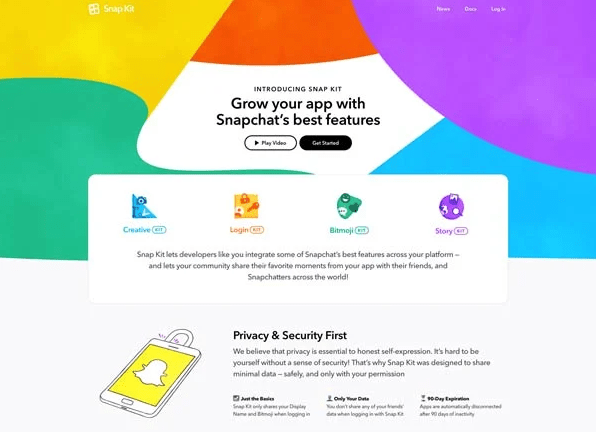
Snapchat

Snapchat

What Snapchat did is:

  • The landing page has great color combination that is appealing to the eye. As color psychology plays a great role influencing the consumer’s perception and emotions about the goods- Snapchat did a great job making the landing page design attractive.
  • Incorporated explainer video to reinforce the idea.
  • Used animation graphics to illustrate functionality of the app.
  • Simply explains what the app does- providing value to the user.

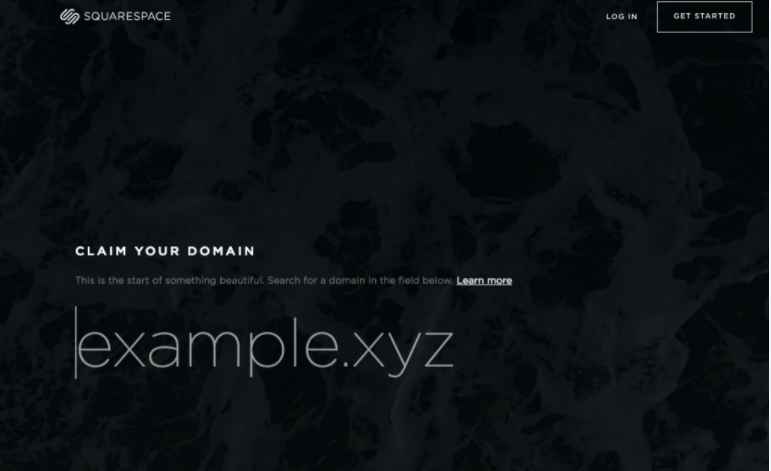
Squarespace

Squarespace

Simple yet intuitive, this is another great landing page design.

What Squarespace did is:

  • “Claim your domain”. This is a great headline as it has a sense of urgency.
  • Small pieces of copy make the content easy to go through.
  • The use of appealing font throughout the landing page gives it a professional vibe.
  • The “Learn more” link in the subheading acts as an anchor tag sending people further down the landing page to know more about the offer.

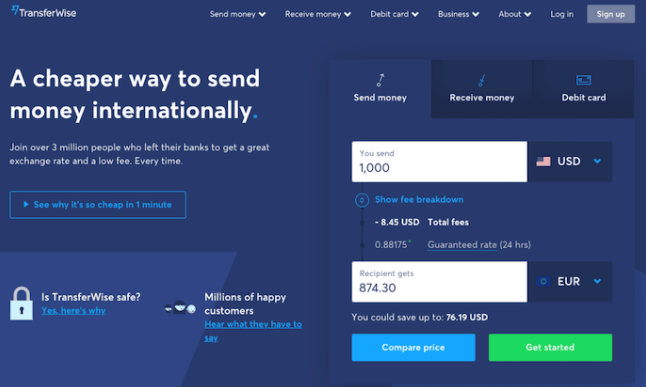
TransferWise

TransferWise

As the name suggests, TransferWise allows the users to send and receive money in different currencies. The landing page focuses on making their customer’s process hassle free.

What TransferWise did is:

  • They added a vivid blue color theme that creates a sense of calmness (according to color psychology) in the viewers, so that they don’t start worrying about it being a troublesome process.
  • They separated each individual action so the viewers are not distracted by the options that don’t apply to them.
  • Each tab on this landing page produces a different call-to-action based on what the person is signing up for — each of them in a vibrant green box to highlight the next step after the three possible starting points.
  • Clean, sharp and overall symmetrical landing page design gives the customer a professional vibe.

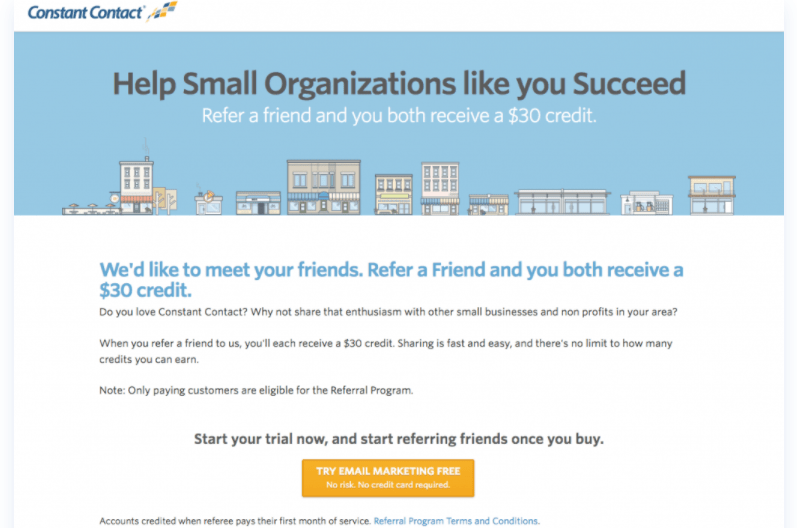
Constant Contact

Constant Contact

What Constant Contact did is:

  • The heading & the subheading are both benefit-oriented and support each other well.
  • Short & crisp copy allows viewers to understand the offer without overwhelming them with excessive content.
  • It has a great landing page design. The Contrasting orange CTA button stands out well within the rest of the page, and along with the engaging CTA text, it tempts the viewer to click it.

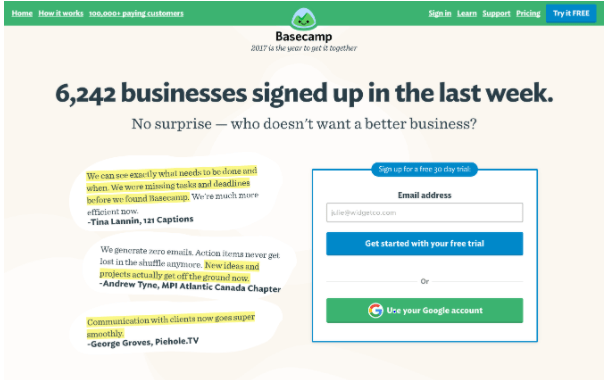
Basecamp Bonus

Basecamp Bonus

Another brand that got their landing page design right.

What Basecamp Bonus did is:

  • They have simple sign up option: by email or Google authentication. As people dislike complex sign-up option that ask a lot of details, Basecamp makes the process simple.
  • Provides customer testimonials and stats. This persuades the potential customers to actually convert.
  • Shows how they can help increase your efficiency.

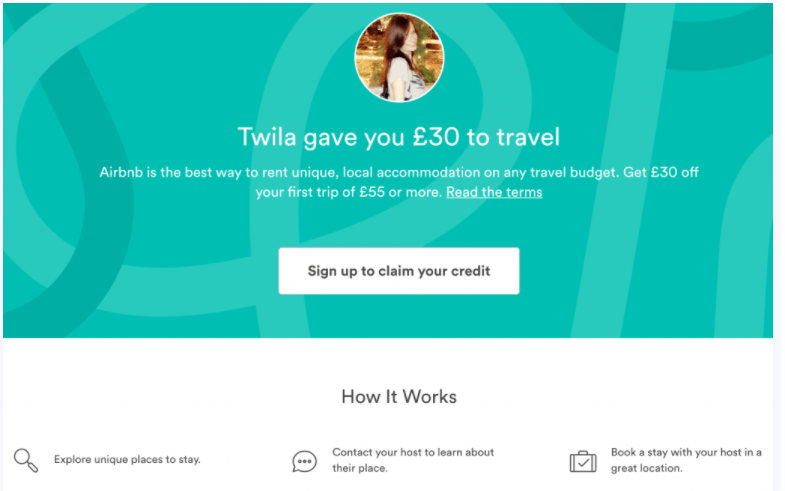
Airbnb

Airbnb

Airbnb nailed their landing page! Their landing page design is not only minimalistic but it makes the viewer take the desired action.

What Airbnb did is:

  • Right from the start, the headline easily grasps the viewers’ attention by offering a cash incentive.
  • Well contrasting CTA button placed in the centre gives the landing a page a clean look.
  • Explains how the Airbnb booking works, in three simple steps.

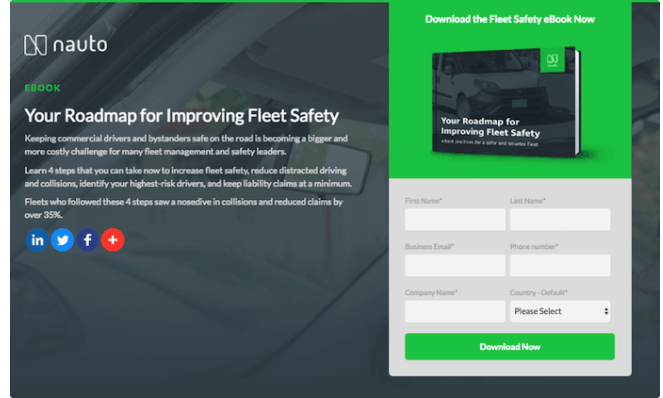
Nauto

Nauto

Nauto, a data platform for self-driving cars, helps make autonomous driving safer for companies who manage fleets of self-driving vehicles. Naturally, its customers would need all kinds of information to sell them on this platform. What Nauto did is created an e-book for which they further created a landing page.

What Nauto did is:

  • The landing page design is appealing to the eye.
  • Different social media icon link to establish an increased online presence. This also increases credibility of the brand, as it can be found on more than one platform.
  • A strategically green CTA “Download Now” button (on the road, green means go).
  • Informative yet an effective heading that quickly grasp’s the viewer’s attention.
  • Small pieces of content to explain the viewer, why they should download this e-book.

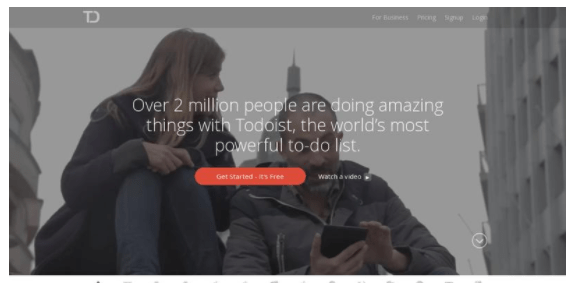
Todoist

Todoist

What Todoist did is:

  • Saying “over 2 million people are doing amazing things with Todoist” provides social proof that a lot of people love using this app.
  • Clicking the red CTA button pops up a form that says “sign up in seconds” with third party authentication available.
  • The background shows different short videos showing variety of scenarios in which the app can be used. This provides value to the viewer.

There you have it — some of the world’s leading companies with some of the internet’s best landing page examples!

As a leading digital marketing and web development company, Communication Crafts have valuable experience in this industry that we leverage to create the best landing pages for our clients all around the world. With the best graphic designers, SEO experts, UI/UX specialists, expert app developers working around the clock- we craft the landing pages to perfection that in turn help increase your conversions. Being pros at designing landing pages, we simply know how to attract more customers towards your business. We provide a superior scope for your business to grow in this digital age! Customer satisfaction is of utmost importance to us and we strive to live by it.

Ready to increase your conversions? Hire us and make it happen!

Looking to get your landing page to finally work?

Look no more!


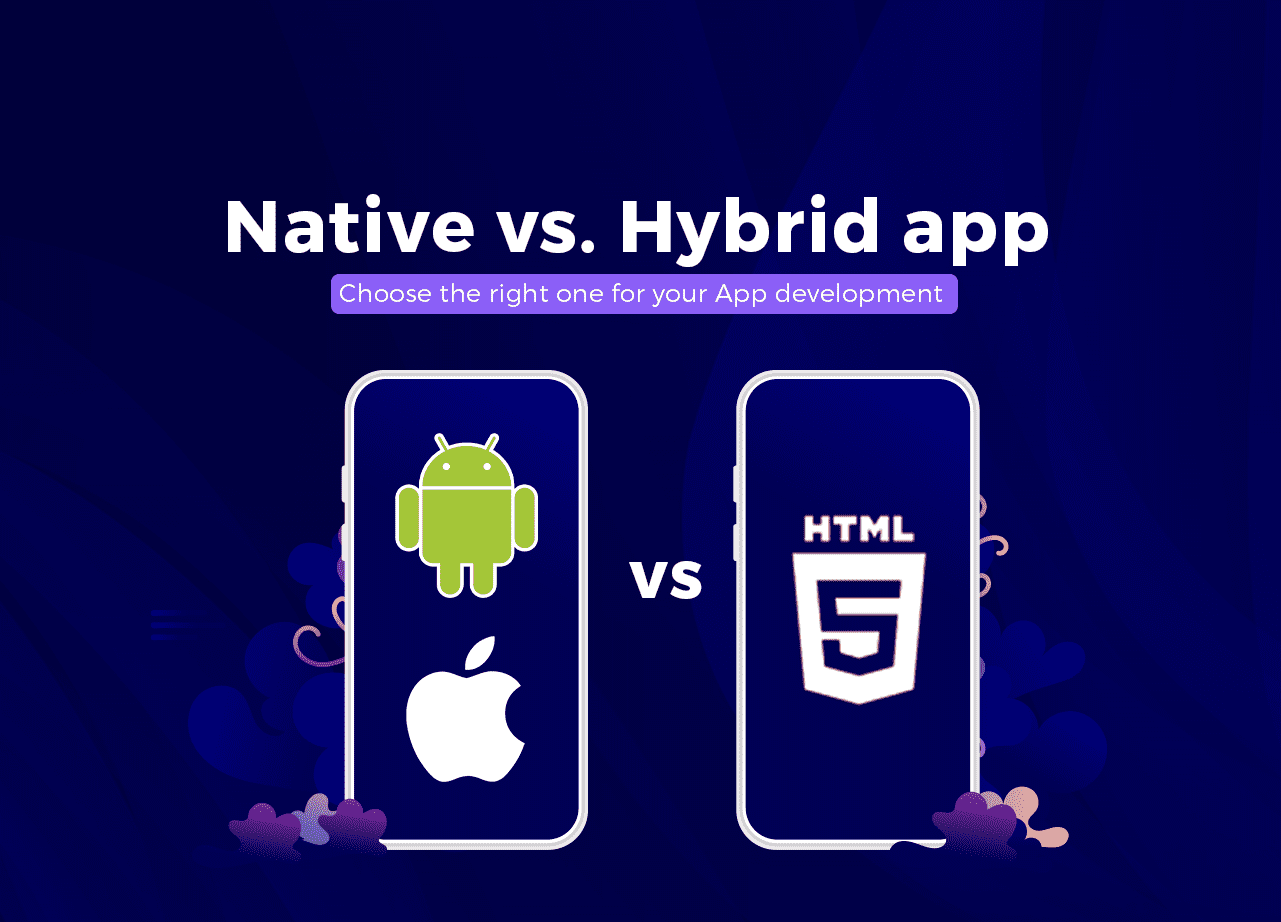
Native vs. Hybrid app- Choose the right one for your App development

As of today, mobile apps are the gateway to increase business sales. Living in this digital age, where everyone is glued to their devices, building good relations with the customers is really easy.

According to Comscore, mobile users spend 90% of their time using apps. It is predicted that mobile apps are going to generate a revenue of $935.2 billion in 2023!

This seems like the best time to invest in a mobile app to yield fruitful returns for your brand. But here is the thing, people prefer using mobile apps that provide good customer experience. For which, building the right type of mobile app that caters to a positive user experience is important.

It is important to choose between iOS and Android mobile platform and the type of app- native app or a hybrid app, that would be perfect for your business requirements.

Native app and hybrid app, both are unique in their ways. Presently, these two types of apps are the most preferred choice for developing a mobile app.

Here is everything you need to know about native apps and hybrid apps and make the right choice.

What is a Native app?

What is a Native app?

Each native app is developed to work with a specific operating system (OS). This means an app coded for iOS apps will not be compatible with Android and vice-versa. Native mobile apps follow certain methodology to enhance the user experience. Native developers can build apps that leverage all the features of an OS. However a Native app will require different code written for each platform it is on.

What is a Hybrid app?

What is a Hybrid app?

While a native app is platform dependent, a hybrid app has cross-platform compatibility. This means that a hybrid app can run on iOS & Android platforms with the same development code. These applications can be viewed as websites put into containers using the Cloud. Most of the time, a hybrid app uses the rendering engine of the built-in OS browsers.

Advantages of Native App development

Advantages of Native App development
  • Better User Experience: Great user experience is the backbone of any brand wanting to increase their reach to potential customers. During native app development, programmers adhere to the platform specific features for which the native app is being built. This helps improve the functionality of the app that helps enhance the user experience. Native apps can also better utilize offline mode capabilities.
  • Increased Performance rate: Native app, compared to a hybrid app, always has a higher rate of performance. This is due to better optimization of memory and storage achieved through code that is written only for a single platform. This makes maintaining a native app much easier.
  • Better Security: Contrary to a hybrid app, a native app can fully consume the hardware capabilities of the operating system it uses. Thus implementing efficient data security features for a native app is easy.
  • Functionality: Native app development offers access to latest features as soon as they are launched in the market, so that developers can quickly integrate them within the native app.
  • Personalization of the native app: Different mobile devices have different sizes and features. A native app can help adjust the different layouts of the devices. With a native app, creating the best user design (UX) that delivers satisfactory user experience (UI) is easily doable.

Advantages of Hybrid App development

Advantages of Hybrid App development
  • Cross platform compatibility: A hybrid app can run on both iOS and Android with the same base code. This helps reduce the development cost if the developer plans to launch a hybrid app for both mobile platforms.
  • Less development time: Hybrid app development requires the developers to work on a single set of code, making it very time-efficient to roll out a hybrid app.
  • Easy Maintenance: Since there is only one core set of code, it becomes effortless to update and maintain the hybrid app. There is no need for the user to download the latest version to fix a bug.

Disadvantages of Native App development

  • Higher Cost of development: The need for excellent development resources at hand and experienced native app developers who can curate app requirements specifically for business needs, makes developing a native app an expensive process.
  • Time-Consuming process: Developers need to write a separate code for each platform the native app is going to be released on. Native app development seems to go on forever in such cases. For example, even if the native app is ready to be released on iOS, and development for Android is still left, business won’t prefer releasing it on iOS platform just yet. As they prefer to simultaneously release the apps on both platforms. Even developing one native app takes more time than a hybrid mobile app.

Disadvantages of Hybrid App development

  • Continuous internet connection required: Most of the hybrid apps are like websites that function through the containers (contains the mobile app code) downloaded from the Cloud. Due to this, continuous internet connectivity is required for hybrid apps.
  • Bad User Interface: As the user interface needs to be compatible with as many platforms as the hybrid app is on, several functionalities are compromised. One being the UI. Developers need to write code that is compatible for Android & iOS, leading to minimal UI features being implemented for the hybrid app that might not be so appealing to the eye.
  • Native App Developer needed at times: Many functionality issues in a hybrid app requires a native app developer work on the issues at times. This leads to increased development costs. Businesses have a problem incurring these costs as the main reason of choosing a hybrid app over a native app is the lower cost of development associated with hybrid app development.

Technology Stack used for a Native app

The most preferred frameworks to develop a native app are:

For iOS apps:

  • Objective-C: This is a programming language that has phenomenal development experience and many available libraries. It is also compatible with other programming technologies. However it requires more coding time due to its dependencies.
  • Swift: Swift is the new programming language from Apple and has replaced Objective C. Having better performance than Objective-C, it is a preferred choice to build an iOS native app that simply delivers seamless experience.

For Android apps:

  • Java: This language is not only used for mobile applications but also for desktop and web development. It provides gives developers access to a vast library of APIs to develop Android OS features.
  • Kotlin: This programming language was specifically developed to work with Java for Android. Google declared Kotlin as ‘the programming language’ for android app development. Kotlin reduces the time required for programming in app development.

Technology Stack used for a Hybrid app

The most popular frameworks for hybrid app development are:

  • React Native: This is an open-source, cross-platform compatible software developed by Facebook. It offers a simple elegant UI, higher rate of performance, and short development cycles.
  • Xamarin: It is suitable for a simple hybrid app, this open-source framework is maintained and strongly supported by Microsoft. Xamarin is the popular choice for business driven projects.
  • Ionic: It produces mobile hybrid apps with technologies like JavaScript, CSS, and HTML. It is easy to learn and has a simple UI but can be challenging to maintain. But since the introduction of React Native, Ionic isn’t a preferred choice any longer.

This should help clear things up between how a native app & a hybrid app are different from each other.

Still having a tough time making up your mind? Don’t worry! That’s where Communication Crafts comes to play!

Give us a call and we’ll lay out the best development plan for your business needs. , Throughout the last 15 years, our team of expert hybrid & native app developers have worked on creating just the right kind of mobile apps for our clients. With the latest Mobile App monitoring systems, our app developers not only gather in depth analytics of your app’s performance after it is launched, but also help roll out timely updates to make your app’s performance better. With the best mobile app developers working in our development team, every line of code we write for your mobile app is quality assured. Crafting your native or hybrid mobile app to meet all your business needs is our forte! Customer satisfaction is of utmost priority for us and we tend to achieve it no matter what!

Hire us and get the best native or hybrid app made quickly!


Landing Pages – How to Increase The Conversions Easily

Landing pages – the chief ingredient for any businesses to flourish online. Landing pages serve as a magnet that helps turn leads into prospects and prospects into loyal customers.

The landing page is the face of any brand that does business online. Through digital platforms, it simply introduces the leads to the products or services a brand has to offer and why it is an ideal choice compared to their competitors.

But what is a Landing Page?

A landing page can be your homepage or another page within your website, or it can be a standalone page created for a specific campaign, sale, or product. Figuring out a way to funnel the traffic to a specific destination on your website that would help convert leads to customers is basically what a landing page does.

It usually has no external or internal links except for the Call to Action (CTA) – which we will discuss later on. Usually, most of the landing pages incorporate both images and creative copy text that draws the user towards the desired income-generating page of a company’s website.

Though using landing pages is extensively adopted by the digital marketers across the globe, only a few from the lot understand clearly what makes a landing page work so effectively.

It doesn’t have to be a complete do-over of the landing page. Even the smallest changes can yield the best results. We at Communication Crafts have been creating landing pages for our client’s businesses since years, which also have helped significantly increase their customer base!

Finding it tough generating income or scaling your business using landing pages? It’s not as tough as it might look, let see how to make it work effectively.

10 Strategies for High-Converting Landing Pages

1. Write an attention grasping headline

Write an attention grasping headline

While many consumers will go through all of the content on the landing page, some will never even manage to get past the headline. Write a creative headline and half of your work of persuading the leads is already done! But have a dull headline and you’ve lost your hard-earned leads! Such is the power a headline can have.

While brainstorming ideas for the headline, think about what aspect of the products you have offer will your target audience relate to. Why is your product the ideal solution for their problem? How do you solve it?

Talk about the customer’s pain points and realistic solutions your products can offer. The goal of the headline is to easily captivate your audience’s attention. Simple as that. The headline is where everything begins — interest, attention, and understanding of the brand.

2. A hooking sub-heading

A persuasive sub-heading to fuel the viewer’s interest even more! The headline gets the viewer hooked on the landing page, the sub-heading should make them want to stay. Think of a persuasive sub-headline that focuses on something that would engage the audience to take the desired action.

Depending on the design of the landing page, the subheading can be up to two or three times as long as the headline. But make sure to be crisp & concise in the message delivery that will entice the target audience.

3. Engaging visuals people would love

Engaging visuals people would love

Visual content is the chief ingredient of all landing pages. People absorb images much faster than text. The pictures should be:

  • Large in size.
  • High-quality images appealing to watch.
  • Grabs the attention of the audience & shows the relevance of the product/service that you are selling.

The best landing pages have images that reflect their brand’s values, beliefs, and culture that help form a personal relationship with their customers. Design a copy of your landing pages as such and it is sure to increase your sales.

4. Just the right color combination

Getting the right colors & design on the landing pages help create a great first impression of the website. People’s moods align differently to the different colors they will see on the landing pages.

The colors used can help draw attention to specific elements by contrasting these elements against the background color. From understanding how the potential customer’s behavior is, to the age bracket- it all goes into deciding the right colors to use. Many businesses struggle with this so they hire the pros who know their way around creating the most beneficial UI/UX design for the landing pages.

This is why professional digital marketing companies always have so many success stories of gaining a noticeable increase in customers for their clients.

A great UI/UX design contributes more than half of the success for increasing business sales. Why is that? Read this and find out!

5. Offer a guarantee

Offer a guarantee

One of the landing page essentials. Nothing convinces the potential customers in a more reliable way than a guarantee does! It takes the pressure off of them because the customer doesn’t have to worry about losing their money if they find no value in the product. They can get a full refund.

This not only emphasizes the brands’ commitment to providing the best customer service amongst the competitors but also is a very powerful psychological asset that can make the leads just to buy the product out of curiosity. There is no harm for them to try if they get a full refund in case they don’t like it. On the contrary, if they love it, they are sure to share the products with their friends and family! It’s a win-win!

6. Make sure the pages load fast

No one likes staring at their mobile screens, waiting for a website page to load! Even if the landing page takes five seconds to load, the viewers might not even want to see the landing page anymore! Landing pages should be quick to load, especially since many people will land on them from their mobile devices. Optimizing & testing the performance of the landing pages is an essential process to undertake before rolling it out online.

7. Honest customer testimonials

Honest customer testimonials

The greatest testimonials are the ones you don’t need to ask for. When customers volunteer to write about their experience using your brand’s products, make sure to not let that opportunity pass!

The more intriguing way you list reasons to buy, the more likely the customers will relate with it and will end up buying your products.
Make sure you include the customer’s experience on the landing pages and it is sure to create a success story for the brand!

Here are some ways you can unleash the power of customer testimonies! 

8. Persuasive CTA button

The landing pages, in its essence, are created for the sole purpose of getting those hard-earned leads to buy the products! And that is achieved is by a powerful ‘Call to Action’ button.

After all, this is the main element on which the rest of the landing page copy is designed- to get the leads to engage with it. The actual CTA copy should be compelling. Rather than use dull phrases like “Submit” or “Click on this!”, instead use something explosive & exciting. Something like “Compare features” or ” Get your free trial!”. This is sure to get the customers’ attention and make them engage with the CTA. Also incorporating contrasting colors for the CTA can help attract the eye and enforce the click.

9. Get the homepage video right

Your average viewer will spend 90% more time on the website due to the homepage video. Even the homepage serves as a landing page at times. That’s why the video on the homepage should be simple and crisp, that can easily entice the customers to spend even more time there.

Here is everything you need to know about the do’s and dont’s of getting the homepage design just right!

Need help creating effective landing pages? Let us help you!

Creating the best landing pages strategies can bring in audiences from multiple social media platforms and demographics that can help increase the popularity of your brand. Go with a pro and make video marketing work for your company!

As a leading digital marketing and web development company, we have a wide experience in this industry of more than 15 years. We have created the best landing pages for our clients, around the world, which have proven to increase their audience & boost sales. We have the best graphic designers, SEO experts, content marketing specialists, expert developers working round the clock- creating landing pages that have great conversion rates. Being pros at designing landing pages, we cut through the noise and curate everything – from headline to the colour palette – specifically to fit your needs.

An established development company, expediting in digital marketing and producing the best landing pages, we provide a superior scope for your business to grow in this digital age!

Hire the pros and make your landing pages work wonders!

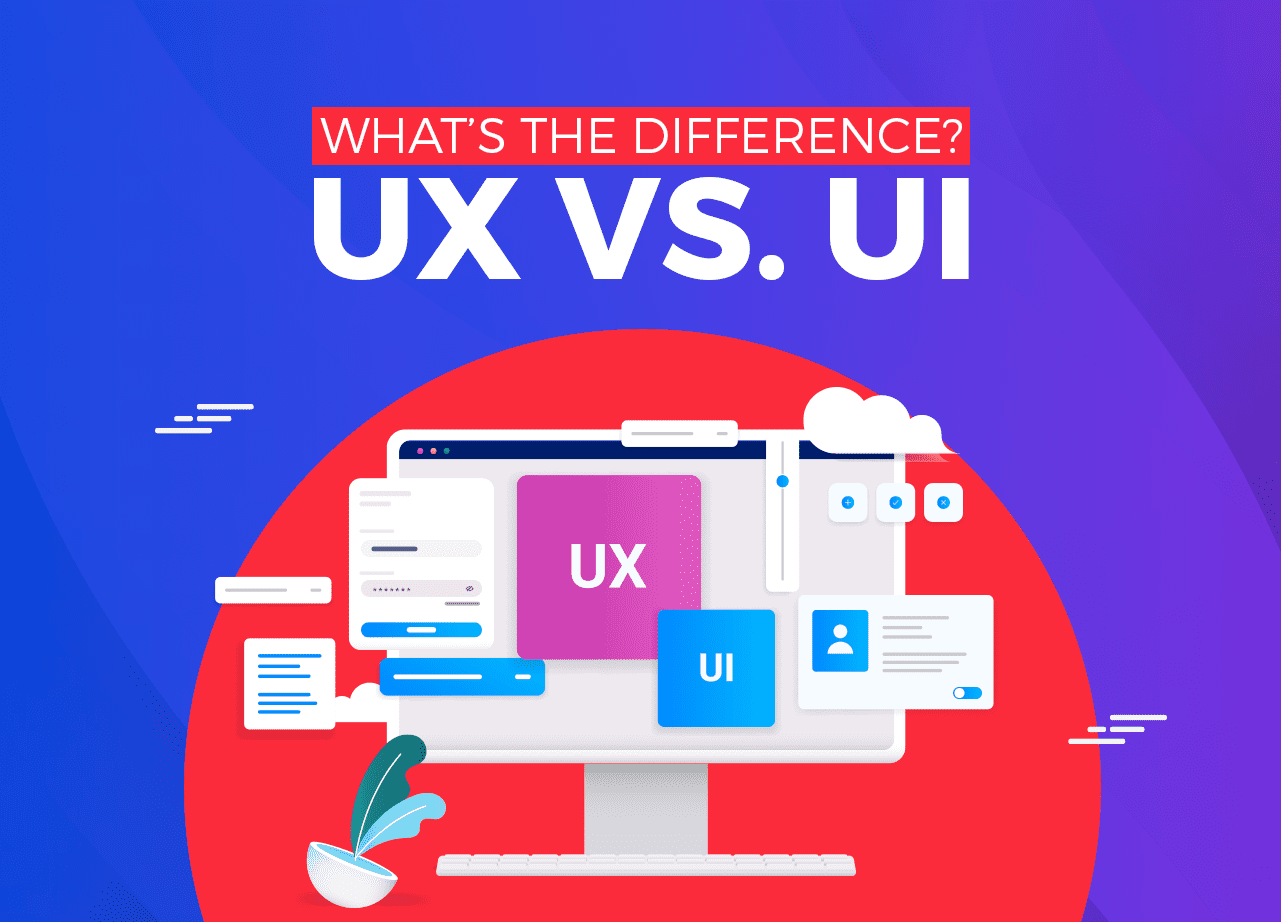
UX vs. UI : What’s The Difference?

It is fundamental to get mobile-app design essentials clear before beginning the development process. UX and UI are key for any business’s web & mobile application development.

It comes as no surprise that designers working with UX and UI for the first time will naturally be finding it tough to find their way around UX and UI. Both the terms have always been misinterpreted or thought of as the same thing. In some technical aspects, UX and UI overlap each other, which is where the confusion arises. It is almost impossible to draw out one discipline from the other. However, both aren’t the same thing.

UX is a combination of tasks focused on improving mobile apps for active and enjoyable use. UI deals with many aspects of what customers see first when they open the app from the intuitive looks, feel, display, and interactivity of the app.

UX design basically helps users achieve practical tasks whereas UI design includes an appealing interface that the user will enjoy using. Usually, the UX and UI designers work on the same development projects but implement different tasks at each stage of the development process.

Being in the development industry for more than 15 years, we at Communication Crafts have worked on creating several successful UX and UI designs for our client’s applications. Keep reading and we’ll make it crystal clear for you to understand the difference between UX and UI.

What is UX Design?

What is UX Design?

UX Design refers to the entire experience someone has with the product from start to finish. Finding the simplest and hassle-free way to help people achieve their requirements on the apps is the main goal of UX. UX design is not about the visuals, but about the overall experience that a user will have with the product.

User experience design begins with keeping the customers’ problem in mind and creating wireframes or prototypes for its solutions. A wireframe is the blueprint structure on which a design is implemented to work on the user level. Once a wireframe is created, the UX designer rolls out prototypes which are effectively tested to understand people’s need better and make relevant changes in the prototypes, which help cater an enhanced user experience.

Design thinking is an integral part of successful mobile app development.

By conducting in-depth research of the users using the prototypes, the UX designer can identify the customer’s liking and requirements in a better way, which in turn helps them design the application better.

What is UI Design?

What is UI Design?

A UI designer’s job begins where the UX designer’s ends- at the prototyping and testing stage. UI is typically what people understand about the user experience.

Simply put, the UI Design is the process of transforming wireframes into an elegant User Interface people would love using. It includes the right typography, appealing images, optimization for different screen sizes, and other visual design elements that turn a basic user interface into something appealing and pleasant.

When you log onto Facebook, Google, and Instagram, the first screen you see is what reflects a well-designed UI. From the right color combination, size of the buttons, text field, dropdown menu- all designed to perfection by a UI designer.

This adds up to create a great influence on the emotional mind of the user.

What’s the difference between UX and UI?

Consider this analogy to better visualize UX and UI: Imagine building a house from scratch. UX would be the foundation, while UI would be the essentials of the house- such as floor, doors, furniture, and much more.

The foundation always comes first. Rightly so does the User Design (UX). A design is created keeping in mind how different functionalities of the app connect with each other, how logic is integrated with the interface. This builds the foundation of mobile app development.

Once the design is rock solid, User Interface (UI) design can begin its work. They combine the right colors to set the user’s mood and create a minimalistic yet intuitive design that the user would enjoy interacting with.

UX focuses on detailed research that aims to discover how to maximize the enjoyment for the users of the product, while User Interface is the transfer of this research to create a visually pleasing and smooth experience. In this way, UX and UI designers work with each other on the development projects. Without its counterpart, one won’t work in delivering effective design.

Why are UX and UI important?

The fusion of UX and UI shapes the entire user experience- from starting to the end. It is such a crucial design aspect because people always want to use the best products available in the market. If there are two mobile apps offering the same end result, the one with a better UX/UI design will surely end up becoming the user’s favorite.

It isn’t just a great practice to have good UX and UI design, but it actually makes a huge difference in experience. And that’s the secret of how most mobile apps succeed in this ever-competing market- an awesome UX and UI design.

Our full-time team of UI/UX developers works round the clock pushing the client’s mobile & web apps to perfection. We wouldn’t want it any other way. Customer satisfaction is of utmost importance to us and we always strive to achieve it no matter what. Your target audience is always an important aspect we consider while designing the user interface. Our brilliant team of mobile app developers, graphic designers, and UI/UX developers never settle for anything less than perfect. Along with gathering insights about your users better, our UI/UX designers use that data to craft your app more effectively to meet your user’s needs. We not only create your application in an engaging and cost-effective way but also provide a superior scope for your business to succeed.

Looking for an awesome UX/UI designer?

Well, you found the right one!

iOS 14 – New Amazing Features For a Better iPhone Experience

The most awaited annual release of Apple‘s iPhone update- iOS 14 has arrived, and it doesn’t disappoint! The good news is that iOS 14 is available for every iOS 13-compatible device. This means even the iPhone 6S and newer and 7th generation iPod touch!

Let’s jump in and see what makes iOS 14 so awesome!

15 amazing iOS 14 features

1. App Library

The all-new App Library of the iOS 14 update is simply awesome. This feature automatically organizes all iPhone apps into appropriate categories. Based on the new machine learning intelligence feature of the iOS 14, apps that you use frequently or at a certain time of the day, iOS 14 analysis that and smartly groups them together to help cater a personalized feed.

That’s not it! When the user deletes an app, there is also now an option to add it to the App Library, which removes it from your home screen but still available in the iOS 14’s new App Library. Just in case you want to download the app again, you can easily do so, without having to visit the App Store.

2. All-new widgets

iOS 14 has redefined using widgets with the new amazing widgets updates which are:

  • Ability to create a stack of up to 10 on-screen widgets of all different sizes option- small, medium & large that allows you to personalize the amount of information being displayed on your screen.
  • iOS 14 introduces- the Widget Gallery. This is now the central hub for all the widgets from Apple and third parties. This gallery shows the top widgets based on what you install and use the most.
  • In the Widget gallery, there is a Smart Stack feature– a set of widgets that users can swipe through that uses on-device intelligence to surface the right widget at the right time based on factors like time, location, and activity. For example, Smart Stack will show the Weather widget in the morning or the Instagram widget in the night.

3. Crisp Design

Crisp Design

Ever suddenly receive a call that interrupts the important work you were doing on the iPhone?

Well, that’s old news now! Apple finally provided the long-awaited solution to this in iOS 14.

  • Incoming Phone and FaceTime calls now appear as a banner at the top of the screen rather than consuming the whole screen.
  • Siri now has an all-new compact design that allows you to refer to the information on your screen and seamlessly launch into your next desired task.
  • Face timing just got more fun! The all-new Picture in Picture of iOS 14 enables watching a video or taking the FaceTime call while using another app- without the picture being paused. FaceTime now even delivers improved video quality with up to 1080p resolution on supported devices.

4. App Clips

The newly created iOS 14’s App Clips- a small part of any app-usually less than 10MB- part of any business or product app that is designed to perform a certain task quickly. For example: After using an App Clip, users can download the full version of the iPhone app.

App Clips are discoverable by tapping NFC tags or scanning QR codes, or from Messages, Maps or Safari.

But after 30 days, App Clips are automatically removed from the iPhone.

5. Siri just got better

iOS 14 introduces a new crisp and elegant UI design for Siri. Ask Siri anything, and while you are at it, you can seamlessly launch into your next task on the iPhone. When Siri has a result for you, it will now appear as a notification banner on the top of the screen.

With the new Web answers of iOS 14 update, Siri makes finding a wide range of valuable information from the Internet much easier, such that you don’t have to go through the hassle of browsing the web.

The user can now send audio messages with Siri on iOS & CarPlay with increased language support for newly added Siri voice.

6. Safer Safari

With a blazing-fast JavaScript engine, Safari delivers up to 2x faster JavaScript performance!

But Apple being Apple, aims to never compromise your privacy. To provide complete security, iOS 14 provides new security features which are:

  • A Privacy Report button for access to a Privacy Report showing all the cross-site trackers that are being blocked by Intelligent Tracking Prevention in Safari.
  • Safari securely monitors the saved passwords, automatically keeping an eye out for passwords that may have been involved in a data breach.  If Safari discovers a breach, it can help you upgrade to Sign in with Apple when available, or automatically generate a new secure password.

7. Messages

Messages

iOS 14 has some new creative messaging features that make conversation more fun and engaging! With these new iOS 14 Messaging features, you can do the following:

  • You can pin chat conversations up to nine of your favorite message threads that sync across all iOS devices.
  • Inline replies allows you to reply to a specific message.
  • You can set an image for your group conversation using a photo, Memoji, or emoji that is shared with all members of the group.

8. Creative new Memoji

With 11 new hairstyles & 19 new headgear styles to customize your Memoji, having engaging & fun conversation with your friends and family just go a whole lot better!

With in-depth customization options to create more expressive Memoji with new faces & age options to choose from, this is one of the iOS 14 features that makes using the iPhone & iPad just got more exciting.

9. Enhanced Maps features

iOS 14 doesn’t stop to impress! The new Maps features make the commuting life better by providing the following updates:

  • Cycling: Map now provides the best cycling routes and bike-friendly roads, taking into consideration elevation or how busy a street is.
  • iOS 14 now shows the congestion zones on the map and can help route you around them if you want.
  • All new Maps on iOS 14 now let you know when you are approaching the speed and red-light cameras along your route.
  • With an all-new Electric vehicle routing system in the Maps- it helps you plan your trip along the route which has charging stops along on the way.
  • Curated guides provide places you would like to eat at & places to explore in your vicinity.

10. Translate

Translate

Apple’s iOS 14 introduces the new Translate app. The exciting iOS 14 introduced the following features for this:

  • Designed simply to hold interactive conversations that allow you to work completely offline so your conversations can stay private.
  • Favorites tab: It saves translations in this tab for easy access later on.
  • Attention mode: The enlarged translated text option in landscape easily grasps the attention of the people.
  • Text translation: All languages have their keyboards included for translating text, so you don’t have to worry about downloading keyboards separately or manually having to switch between them.
  • Dictionary: Tap a word in a completed translation to see the definition in the builtin dictionary of the iOS 14. This removes the need to go on the internet and provides quick, efficient results.
  • 11 languages support: Voice and test translations are supported in English (US & UK), Spanish (Spain), Chinese (Mandarin, Simplified), Japanese, Korean, Russian, German (Germany), French (France), Italian (Italy), Portuguese (Brazil) and Arabic.

Searching the web is now much easier than ever. Just start typing and you’ll see relevant websites and web search suggestions displayed at the top of your screen, making it easy to quickly start Safari for the desired full web search.

iOS 14 also provides in-app predictive search options now. You can now start a search in apps like Mail, Messages, and Files.

12. Better Privacy

Better Privacy

Apple with its every new update ensures to roll out security and privacy measures. In iOS 14, Apple has these new security measures in place:

  • Limited photo access: You can choose to share only selected photos with an app that asks for access to your photos. But you even have the option to give access to your entire library if you want.
  • Recording indicator: When you update to iOS 14- a recording indicator is displayed whenever an app uses your iPhone or iPad microphone and camera.
  • Approximate location: Rather than sharing your exact location with apps, you can now give an approx location of where you are.
  • Apple Authentication for iOS apps: Apps and web developers can now offer the option to upgrade your existing credentials to Sign in with Apple.

13. Beautiful Camera clicks

iOS 14 just made clicking your photos even more elegant. With improved shot-to-shot performance, you can now shoot photos up to 90% faster than before. And with a new setting to priorities faster shooting- The camera can intelligently modify the photos so you can shoot even faster and never miss a shot!

With new quick toggles added in the video mode– you can immediately change the video resolution and frame rate while shooting the video as you prefer. More so, iOS 14 has updated the Night mode capture that provides enhanced clicks on iPhone11 & iPhone 11 Pro.

14. Personalized Music experience

iOS 14 is going to cater to personalized music experience for you. With the all-new Autoplay feature, Apple Music keeps the music playing when you’ve reached the end of a song or your playlist by finding similar songs you would like. The library filtering helps discover artists, albums, playlists, and other items in your library even faster. As you play, Apple Music learns what you love listening to and provides personalized suggestions for new music.

15. Photos

Now you can filter your collection by Favorites, Edited, Videos, and Photos. iOS 14 allows you to easily zoom in and out to quickly get to the photos and videos you’re looking for across Photos. The live photos taken using iOS 14 provide even more stabilization than before.

As a leading web and iOS mobile app development company. We at Communication Crafts have expertise in this industry for more than 15+ years and our team of professional developers have worked on developing various iOS mobile apps, which have delivered the best results for the growth of our client’s companies. Our teams of expert web developers, fast coders, iOS developers, mobile app developers, have technical expertise using different technologies for creating specific iOS apps. We cater to your needs specifically by using the newest technologies in the market to proficiently meet all our client requirements that deliver the best results for their company’s growth. Creating the best iOS mobile apps that provide the best user experience is what we are so good at! Customer satisfaction is of utmost importance to us and we always strive to live by these words.

Get your iOS 14 app created to perfection!

Looking for professional Apple developers to develop your iOS14 mobile app?

Kotlin Vs Java – Which One’s Better For Android App Development in 2021?

For Android developers, Java app development has always been the number one choice for their Android app development. But ever since Google announced Kotlin as their official language for Android app development in the Google I/O conference, 2017, there was utter confusion on which to choose: Java or Kotlin? And this has led to questions like:

  • is Kotlin better than Java?
  • Java VS Kotlin, which is ideal for Android development?

Even though both are equally good, they have their drawbacks. But choosing the one between Java VS Kotlin that helps meet all your app requirements is what matters. Analyzing each technical aspect of both programming languages is crucial. Let us do a detailed comparison of Java VS Kotlin.

A brief on Java App Development

As Android itself is written in Java, it came as no surprise that in the last 20 years Java has been the favorite amongst developers for android app development. Java is an object-oriented programming language that is the second most active language in the GitHub community.

1. Advantages of Java App Development

  • Syntax of Java for Android development is more readable than Kotlin programming language used for android app development.
  • Being an object-oriented language (OOP), Java is easier to maintain, modify and debug.
  • OOP functionality of Java for Android development makes it possible to create fully reusable applications that require lesser code and ensure a faster build process than Kotlin.
  • Java for Android development also offers a huge collection of open-source libraries, which ultimately helps developers reduce development time for their android apps.
  • Java reduces security threats and risks by avoiding the use of explicit pointers that can cause unauthorized memory access.
  • Java is an open-source ecosystem that is free to use for Android app development.
  • Java has incredibly strong support of an expansive community, making it easy to seek out valuable information and advice from other android programmers.
  •  

2. Limitations of Java App development

  • Java App development has some limitations due to its inherent characteristics that cause problems with the Android API design.
  • Java does not provide back up for data that might have been corrupted.
  • Java is a type-heavy framework. It requires more code writing which makes it difficult for developers to debug.
  • App development with Java requires a lot of memory due to which its applications tend to be slower.

A brief on Android development with Kotlin

Released in 2011, Kotlin was designed by programmers from JetBrains to add some advanced features to Java that would be helpful for android app development. Kotlin is an open-source programming language that supports parallel running with Java and makes compiling possible with JavaScript compiler. Kotlin for Java developers is very similar to Apple’s Swift in terms of its ideas and goals. The similarities between these two languages will help Android and iOS developers to easily switch between developments for each platform.

1. Advantages of Android development with Kotlin

  • Allows Kotlin for Java developers to update existing Java apps to Kotlin. All it takes is installing the Kotlin Plugin and letting it configure your project.
  • Android development with Kotlin is supported by a vast majority of IDEs, including Android Studio, and other SDK tools. This helps increase developers’ productivity as they can continue to work with the toolkit they are used to.
  • Kotlin has ‘null’ built in its type system. Null errors are a common pain point in Java, and since Android often uses null to represent the absence of a value, Kotlin solves it by placing null directly in its type system.
  • Kotlin has a much better way of writing code than Java. Due to this, it has fewer crashes and lesser system failures than Java.
  • Between Kotlin VS Java, Android development with Kotlin exhibits increased team efficiency – Thanks to its predictable language & intuitive syntax, more work can be done as it takes less time and fewer lines to write and deploy working code.
  • Interoperable with Java — developers can write code for new modules in Kotlin and be sure they will work alongside the existing Java code. Kotlin is compatible with all Java libraries and frameworks and can also integrate with the Gradle or Maven build systems.
  •  

2. Limitations of Android Development with Kotlin

  • Kotlin’s compilation of code is slower than Java
  • Kotlin For Java developers who have just begun working with Kotlin, it would require a lot of effort to understand it, due to its difficult-to-understand syntax.
  • Android development with Kotlin has a small developer community due to which it has a limited number of learning resources. It also faces difficulty in finding solutions for developers.

Is Kotlin Worth the Effort?

Since Google has announced it as an official Android app development language, Kotlin has seen a growing acceptance and recognition by major players in the android development space. As Kotlin is the new official framework for android app development – Between Java VS Kotlin, Kotlin it has considerable potential to be adopted by the android developers in the future. Kotlin has been built with developer productivity in mind. And, it goes without saying that its enhanced productivity tracks back to its concise code that can roughly cut as much as 40% lines of code compared to Java. Between Kotlin VS Java, the intuitive syntax and the overall clean language design of Kotlin, makes developers life easy as they require less time to write new code, deploy it and maintain it at any scale. Due to this the android apps will become easier and cheaper to maintain. Hire expert Android app developers for hassle-free and, end to end solutions today!

A quick overview of Java VS Kotlin:
For now, Java isn’t going anywhere, and it will be a long until it gets completely phased out by Kotlin. Kotlin is here to stay. It will get even more developer-friendly as time goes on. Kotlin definitely has a lot to offer to developers of the future. Apart from Google, there are many companies like Uber, Pinterest, Basecamp, Coursera that are also embracing Kotlin as their official Android programming language!

As a leading mobile app and web development company, Communication Crafts has 15+ years of experience in extensively developing mobile apps for a wide range of clients, ranging from startups to established companies. Our team of expert mobile app developers & fast coders have the technical expertise of using different technologies and broad variety of programming languages such as Kotlin, Java, Swift and others! We cater to our client’s mobile app development needs specifically and choose the best programming language that precisely meets all client requirements, leaving them completely satisfied with their mobile app. Working on mobile app development that provides the best user experience is our forte! Being an established mobile app development company, we provide a superior scope for your business to grow with an ideal mobile app.

Get your mobile app developed right with Communication Crafts!

Looking to get your mobile app built for iOS or Android?

We can help you with that!